For 1990-2009 cars only
Driver Information Center Replacement for Buick Regal 1998
Removal Procedure
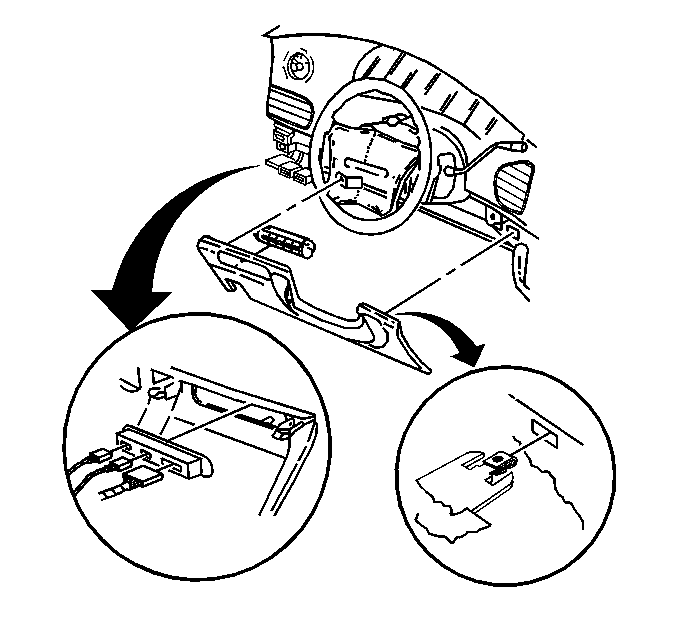
- Remove the steering column opening filler. Refer to Steering Column Opening Filler Replacement .
- Disconnect the electrical connectors from the driver information center (DIC).
- Use a small flat-bladed tool in order to depress the retainers on the DIC.
- Remove the DIC from the steering column filler.
Installation Procedure
- Align the driver information center (DIC) to the steering column filler.
- Press in until the retainers are fully seated.
- Connect the electrical connectors to the DIC.
- Install the steering column opening filler. Refer to Steering Column Opening Filler Replacement .
