Steering Column Replacement for Buick Rendezvous - FWD 2002
Tools Required
J 42640 Steering Column Anti-Rotation Pin

Removal Procedure
Notice: The wheels of the vehicle must be straight ahead and the steering column in the LOCK position before disconnecting the steering column or intermediate shaft from the steering gear. Failure to do so will cause the SIR coil assembly to become uncentered, which may cause damage to the coil assembly.
Important: If the inflatable restraint module is deployed, inspect the SIR coil.
Replace the SIR coil if the SIR coil exhibits any signs of damage caused by excessive heat.- Disable the SIR system. Refer to Disabling the SIR System in SIR.
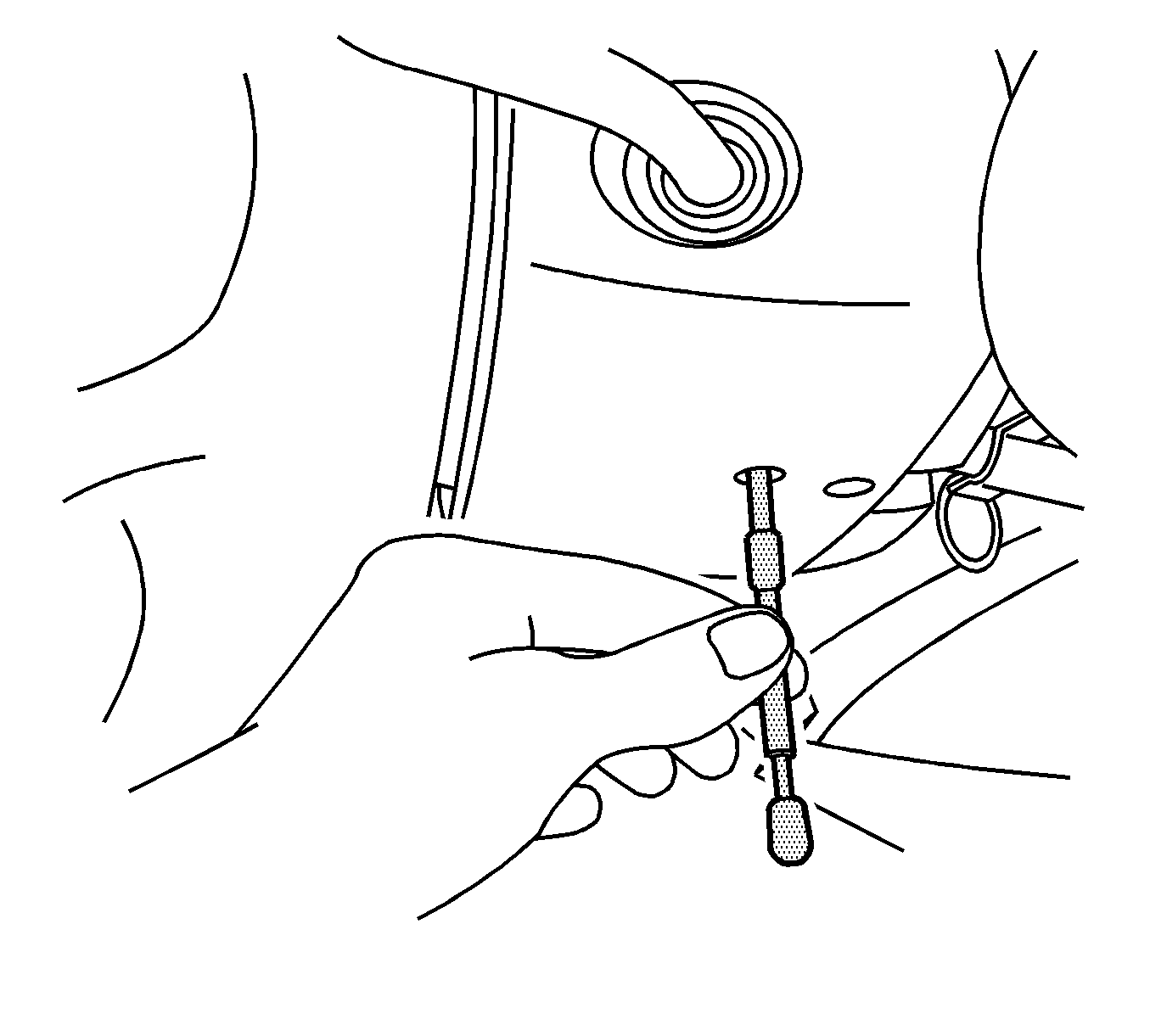
- Install the J 42640 to the steering column.
- Remove the steering wheel. Refer to Steering Wheel Replacement .
- Remove the knee bolster trim panel. Refer to Knee Bolster Replacement in Interior Trim.
- Push the top of the intermediate shaft seal down in order to access to the intermediate shaft upper retaining bolt.
- Remove the steering column intermediate shaft upper retaining bolt and nut.
- Disconnect the steering column electrical connectors.
- Column Shift Only. Disconnect the shift cable from the control assembly and from the steering column.
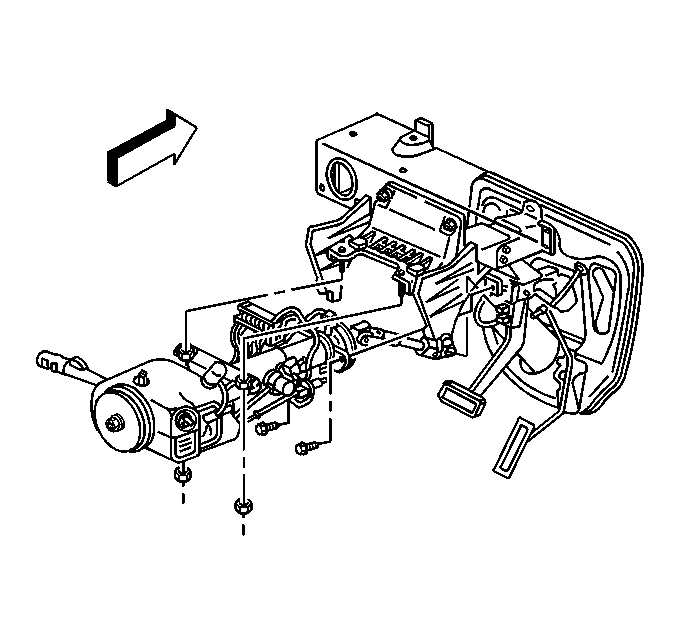
- Remove the steering column upper mounting nuts.
- Remove the steering column lower mounting bolts.
- Remove the steering column anchor cable from the bracket.
- Remove the steering column from the vehicle.
Installation Procedure
- Install the steering column to the vehicle.
- Install the steering column to the intermediate shaft.
- Install the steering column anchor cable to the bracket stud.
- Install the steering column nuts.
- Install the steering column bolts.
- Tighten the steering column fasteners in the following order.
- Install the upper intermediate shaft bolt.
- Install the intermediate shaft seal to the steering column.
- Column Shift Only. Install the shift cable to the control assembly and to the steering column.
- Connect the steering column electrical connectors.
- Install the knee bolster trim panel. Refer to Knee Bolster Replacement in Interior Trim.
- Install the steering wheel. Refer to Steering Wheel Replacement .
- Remove the J 42640 from the steering column.
- Enable the SIR system. Refer to Enabling the SIR System .
- Program the theft deterrent system. Refer to Programming Theft Deterrent System Components in Theft Deterrent.
Caution: In order to ensure the intended function of the steering
column in a vehicle during a crash and in order to avoid personal injury to
the driver, perform the following:
• Tighten the steering column lower fasteners before you tighten
the steering column upper fasteners. Failure to do this can damage the steering
column. • Tighten the steering column fasteners to the specified torque.
Overtightening the upper steering column fasteners could affect the steering
column collapse.
Notice: Use the correct fastener in the correct location. Replacement fasteners must be the correct part number for that application. Fasteners requiring replacement or fasteners requiring the use of thread locking compound or sealant are identified in the service procedure. Do not use paints, lubricants, or corrosion inhibitors on fasteners or fastener joint surfaces unless specified. These coatings affect fastener torque and joint clamping force and may damage the fastener. Use the correct tightening sequence and specifications when installing fasteners in order to avoid damage to parts and systems.
Tighten
| • | Tighten the bolts to 24 N·m (18 lb ft). |
| • | Tighten the nuts to 24 N·m (18 lb ft). |
Tighten
Tighten the bolt to 48 N·m (35 lb ft).
