For 1990-2009 cars only
Vehicle Speed Sensor Replacement for Cadillac CTS 2003
Removal Procedure
- Raise and support the vehicle. Refer to Lifting and Jacking the Vehicle in General Information.
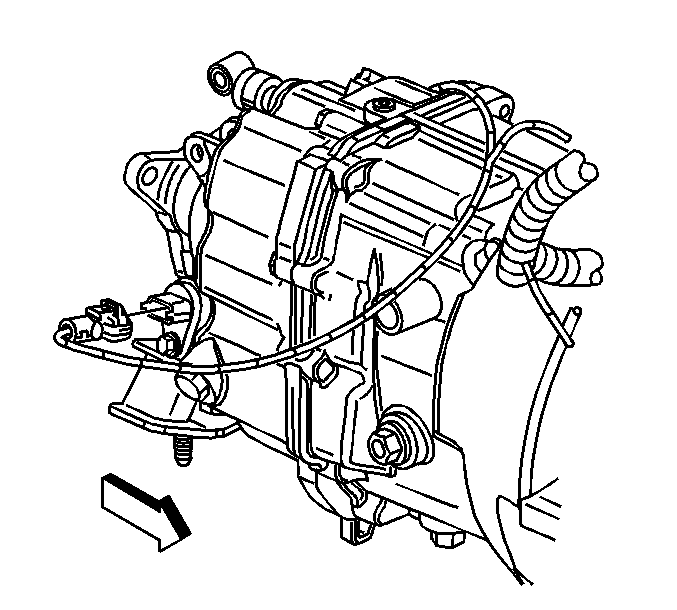
- Disconnect the vehicle speed sensor (VSS) electrical connector.
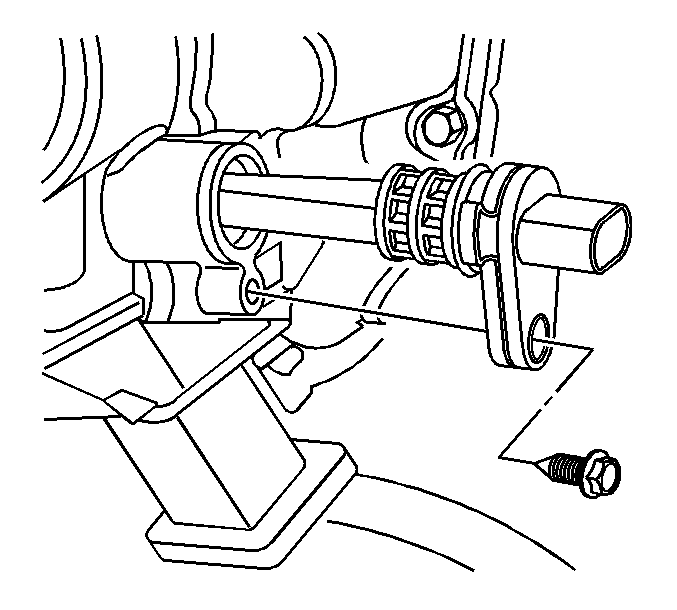
- Remove the VSS retainer bolt.
- Remove the VSS by pulling the VSS straight out of the transmission.
- Remove the O-ring from the VSS only if the O-ring needs to be replaced.
Installation Procedure
- If the O-ring has been removed. Install a new O-ring.
- Lubricate the O-ring with DEXRON®-III transmission fluid.
- Install the vehicle speed sensor (VSS) to the transmission.
- Install the VSS retainer bolt.
- Connect the VSS electrical connector to the VSS.
- Lower the vehicle.
Notice: Refer to Fastener Notice in the Preface section.
Tighten
Tighten the bolt to 10 N·m (89 lb in).
