For 1990-2009 cars only
Front Floor Console Storage Tray Replacement for Cadillac Seville - RHD 2002
Removal Procedure
- Open the center console lid.
- Remove the docking station, if equipped with UV8. Refer to Cellular Telephone Docking Station Replacement in Cellular Communications.
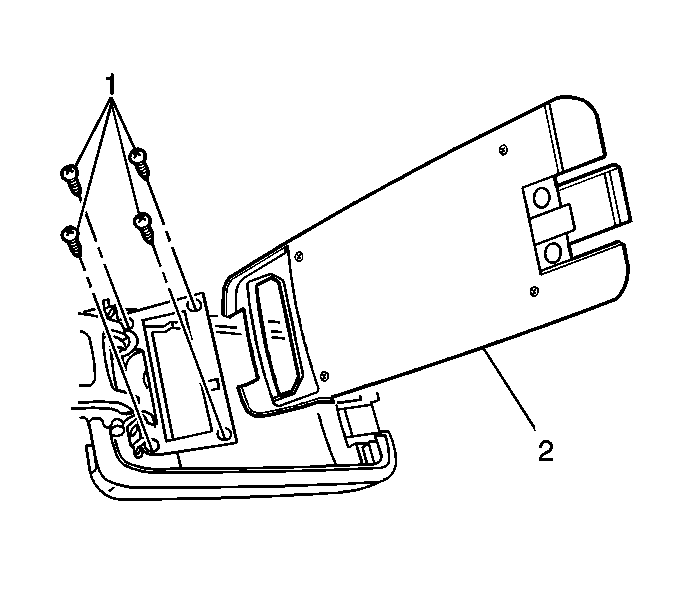
- Remove the screws (1) retaining the center console tray (2) to the center console hinge.
- Remove the center console tray (2).
Installation Procedure
- Install the docking station, if equipped with UV8. Refer to Cellular Telephone Docking Station Replacement in Cellular Communications.
- Align the center console tray (2) with the console door hinge.
- Install the screws (1) to the console tray (2).
- Inspect the console lid for proper operation.
Notice: Refer to Fastener Notice in the Preface section.
Tighten
Tighten the screws to 1.6 N·m (14 lb in).
