For 1990-2009 cars only
Audio Steering Wheel Controls for Chevrolet Cobalt 2009
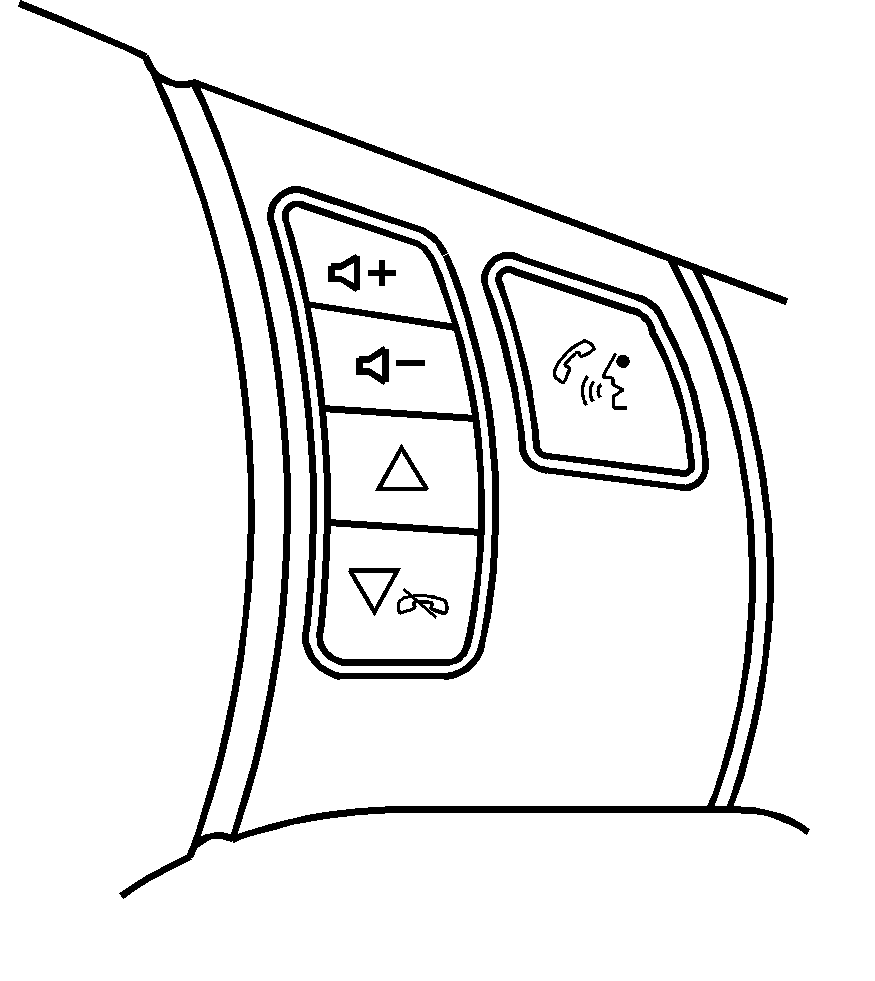
Vehicles with audio steering wheel controls could differ depending on the vehicle's options. Some audio controls can be adjusted at the steering wheel.
+ / - (Volume): Press to increase or to decrease the radio volume./ (Next / Previous): Press to change radio stations, select tracks on a CD, or to select tracks and navigate folders on an iPod® or USB device.
To change radio stations:
| • | Press and release or to go to the next or previous radio station stored as a preset. |
| • | Press and hold or to go to the next or previous radio station in the selected band with a strong signal. |
To select tracks on a CD:
Press and release or to go to the next or previous track.
To select tracks on an iPod or USB device:
- Press and hold or while listening to a song until the contents of the current folder display on the radio display.
- Press and release or to scroll up or down the list, then press and hold to play the highlighted track.
To navigate folders on an iPod or USB device:
- Press and hold or while listening to a song until the contents of the current folder display on the radio display.
- Press and hold to go back to the previous folder list.
- Press and release or to scroll up or down the list.
| • | To select a folder, press and hold when the folder is highlighted. |
| • | To go back further in the folder list, press and hold . |
(Mute / Voice Recognition): Press to silence the vehicle speakers only. Press again to turn the sound on. For vehicles with OnStar® or Bluetooth systems press and hold for longer than two seconds to interact with those systems. See OnStar® System and Bluetooth® for more information.
