For 1990-2009 cars only
Video Disc Player Replacement for Chevrolet Malibu 2004
Removal Procedure
- Remove the console rear trim plate. Refer to Console Rear Trim Plate Replacement in Instrument Panel, Gages and Console.
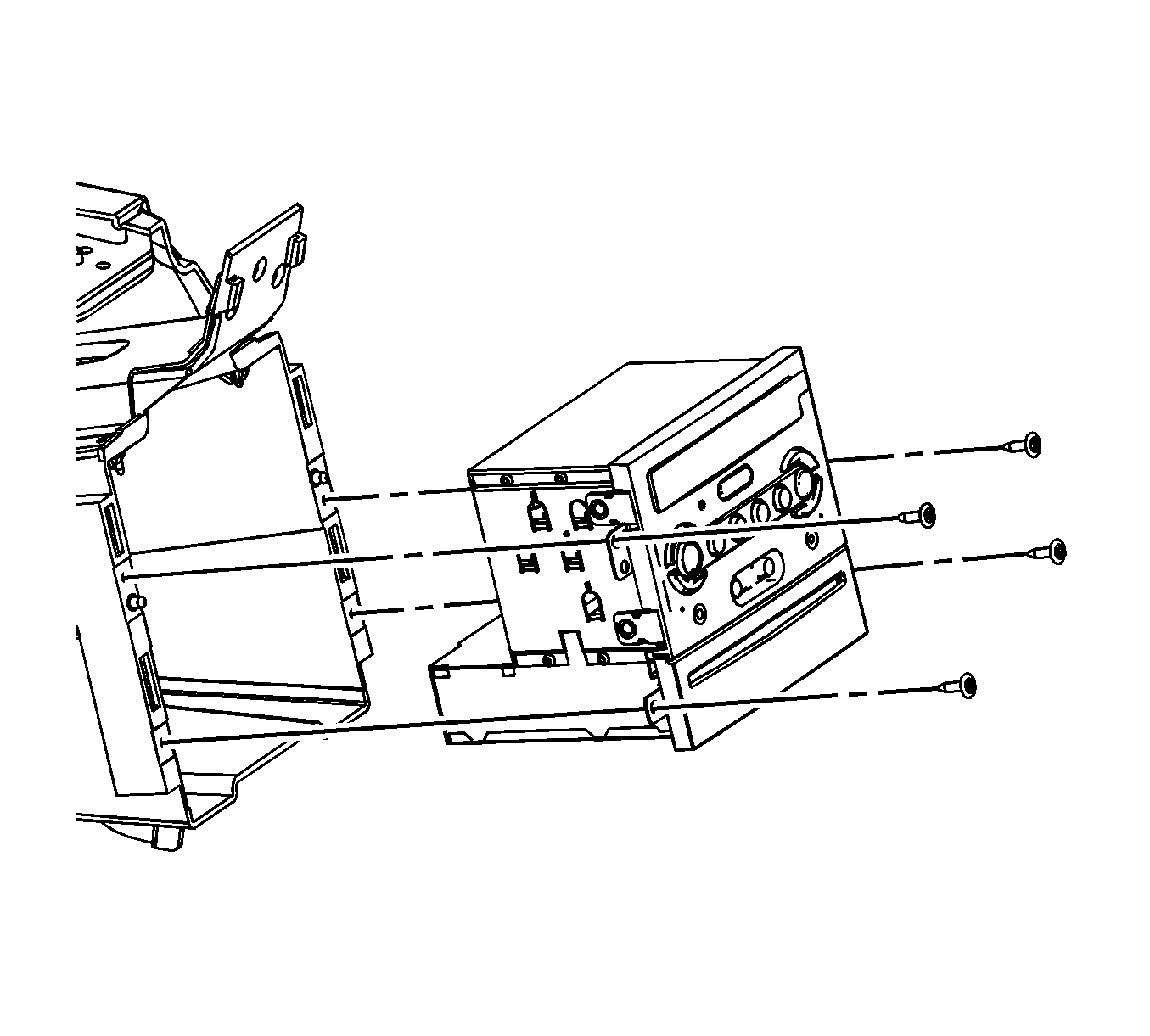
- Remove the DVD screws.
- Remove the DVD player.
- Remove the DVD player wire harness connectors.
Installation Procedure
- Install the DVD player wire harness connectors.
- Install the DVD player.
- Install the DVD screws.
- Install the console rear trim plate. Refer to Console Rear Trim Plate Replacement in Instrument Panel, Gages and Console.
Notice: Refer to Fastener Notice in the Preface section.
Tighten
Tighten the screws to 1 N·m (10 lb in).
