Electronic Brake Control Module Replacement for Chevrolet Tracker - 4WD 2003
Removal Procedure
Notice: To prevent equipment damage, never connect or disconnect the wiring harness connection from the EBCM with the ignition switch in the ON position.
- Turn the ignition switch to the OFF position.
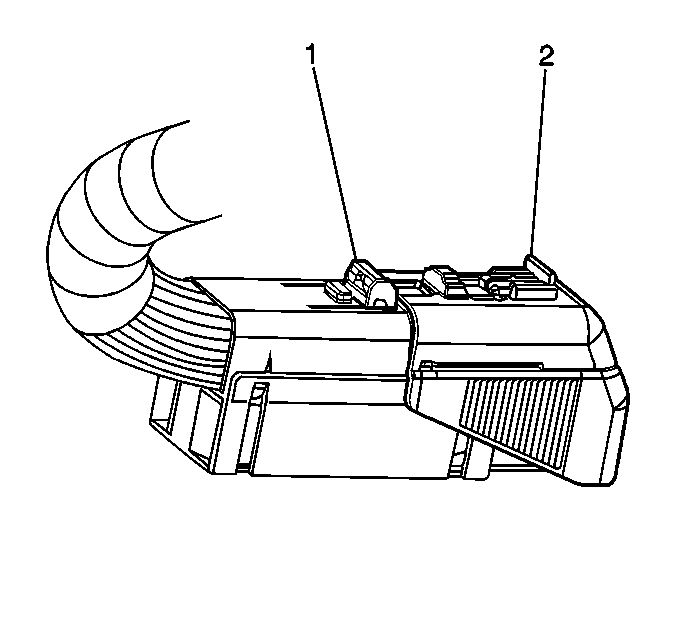
- Remove the Connector Position Assurance (CPA) (2) from the connector lock tab (1).
- Push the lock tab down and then move the sliding connector cover (2) to the open position.
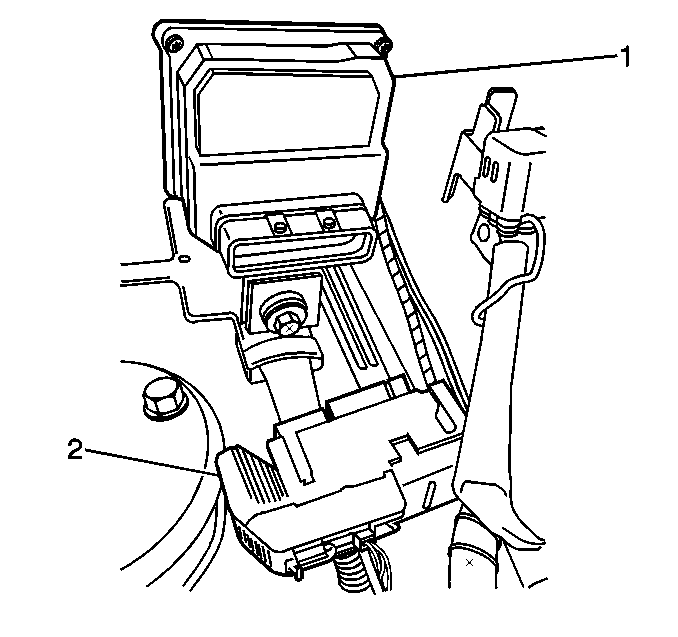
- Disconnect the Electronic Brake Control Module (EBCM) harness connector.
- Brush off any dirt/debris that has accumulated on the assembly.
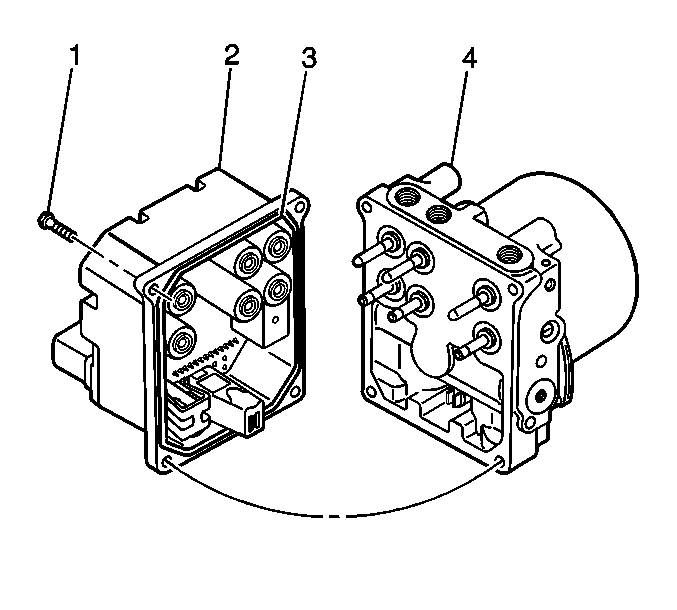
- Remove the four EBCM to Brake Pressure Modulator Valve (BPMV) screws (1).
- Separate the EBCM (2) from the BPMV (4) by gently pulling apart until separated.
Notice: Do not use a tool to pry the EBCM from the BPMV. Excessive force will damage the EBCM.
Notice: Be careful not to damage the EBCM seal when removing the EBCM.
Installation Procedure
- Clean the EBCM gasket and the BPMV surface with alcohol using a clean rag.
- Install the EBCM (2) to the BPMV (4).
- Install the four screws (1) that attaches the EBCM (2) to BPMV (4).
- Connect the EBCM harness connector (2).
- Push down lock tab and then move sliding connector cover back in the home position to lock.
- Push the CPA (2) back into place.
- Perform Diagnostic System Check - ABS .
Notice: Use the correct fastener in the correct location. Replacement fasteners must be the correct part number for that application. Fasteners requiring replacement or fasteners requiring the use of thread locking compound or sealant are identified in the service procedure. Do not use paints, lubricants, or corrosion inhibitors on fasteners or fastener joint surfaces unless specified. These coatings affect fastener torque and joint clamping force and may damage the fastener. Use the correct tightening sequence and specifications when installing fasteners in order to avoid damage to parts and systems.
Tighten
Tighten the four screws to 5 N·m (44 lb in).
