For 1990-2009 cars only
Secondary Driver Information Display Replacement for Daewoo W200 2008
Secondary Driver Information Display Replacement Base
Removal Procedure
- Remove the instrument panel (I/P) upper trim panel assembly. Refer to Instrument Panel Center Trim Panel Replacement.
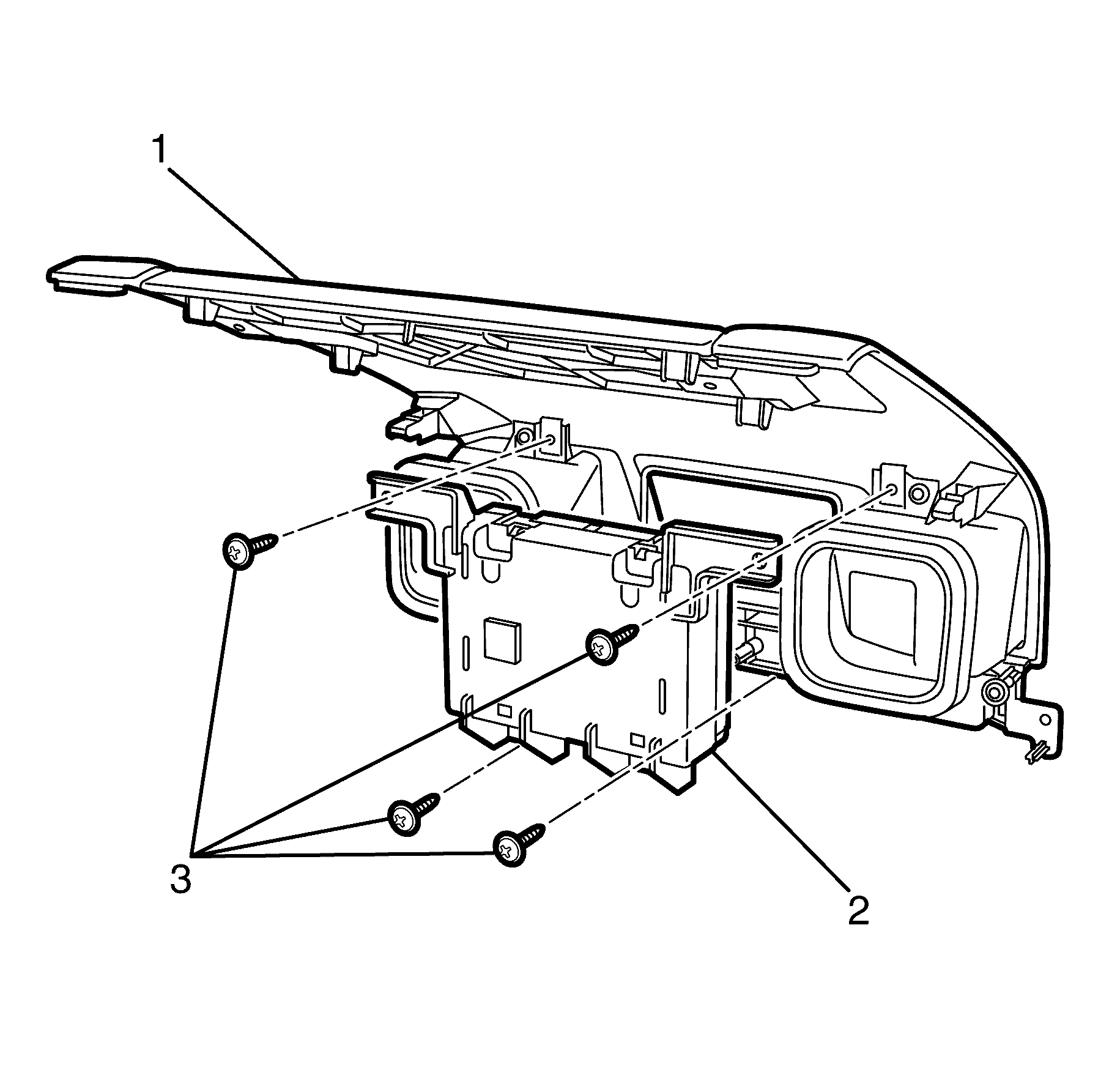
- Remove the secondary information centre (SIC) display to I/P upper trim panel assembly retaining screws (3).
- Remove the SIC display (2) from the I/P upper trim panel assembly (1).
Installation Procedure
- Install the SIC display (2) to the I/P upper trim panel assembly (1).
- Install the SIC display to I/P upper trim panel assembly retaining screws (3).
- Install the I/P upper trim panel assembly. Refer to Instrument Panel Center Trim Panel Replacement.
- For programming and setup, refer to Control Module References.
Notice: Refer to Fastener Notice in the Preface section.
Tighten
Tighten the screws to 2 N·m (18 lb in).
