Driver Information Center (DIC) for GMC Truck Jimmy - 2WD 2005
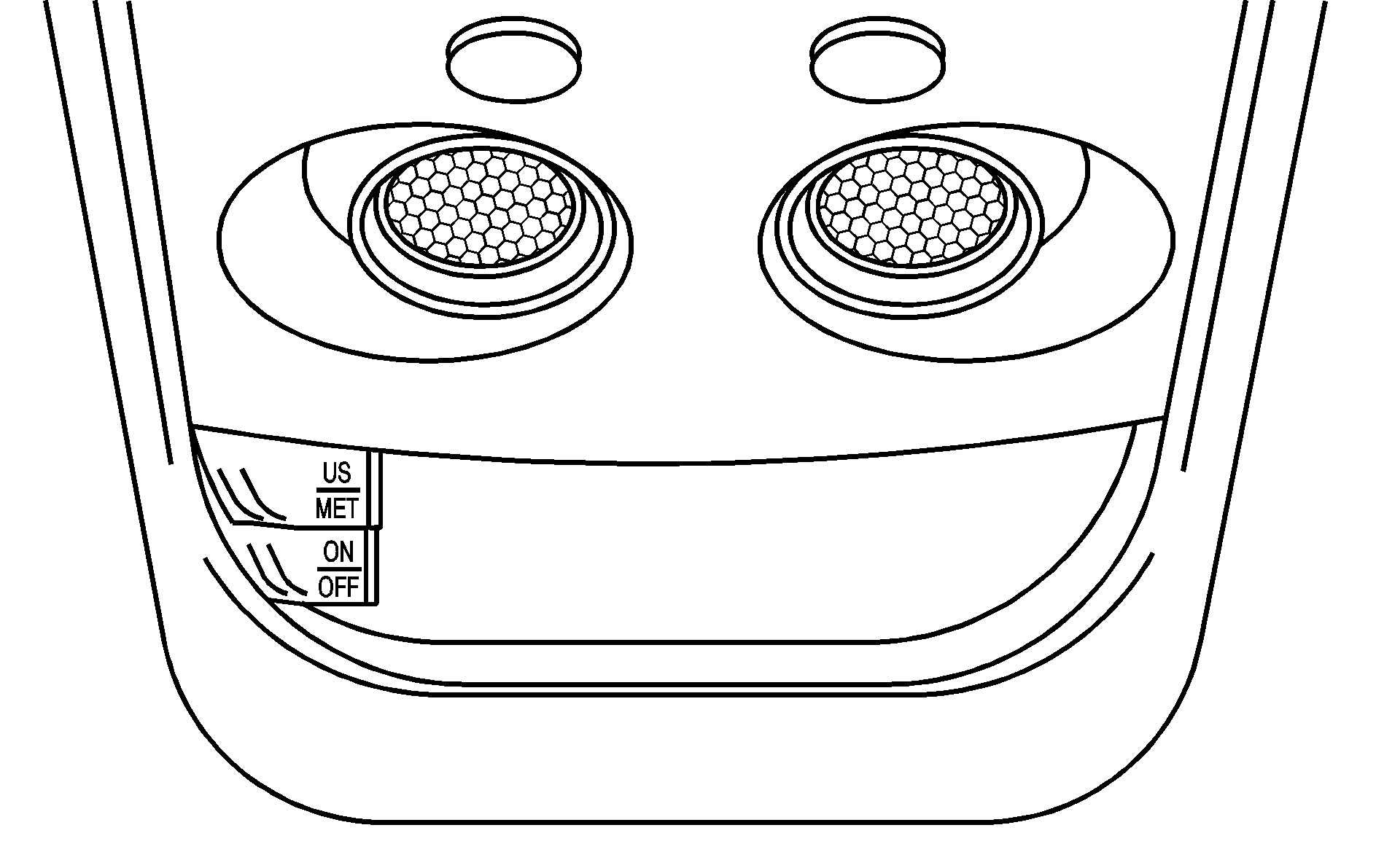
Your vehicle may have a Driver Information Center (DIC) located on the overhead console. The DIC displays the outside air temperature, compass direction and trip information in the overhead console. The DIC buttons are located to the left of the display.
US/MET (United States/Metric): The US/MET button allows you to switch the display between the English and metric system.ON/OFF: The ON/OFF button can be used to toggle between three modes of operation: OFF, COMP/TEMP and TRIP.
Modes of Operation
Press the ON/OFF button to toggle between the following modes of operation:
OFF: No driver information is displayed in this mode of operation.COMP/TEMP (Compass/Temperature): This display shows the outside temperature and one of eight compass readings to indicate the direction the vehicle is facing. Before you turn on the ignition and move the vehicle, the temperature indicated will be the last outside temperature recorded with the ignition on. If the outside temperature is 37°F (3°C) or lower, the display will toggle between the ICE and the current temperature every eight seconds. This is a warning to the driver that road conditions may be icy, and that appropriate precautions should be taken. See "Compass Variance" later in this section for more information.
TRIP: In the TRIP mode, pressing the ON/OFF button cycles through the five TRIP displays. See "Trip Computer" later in this section for more information.
Compass Variance
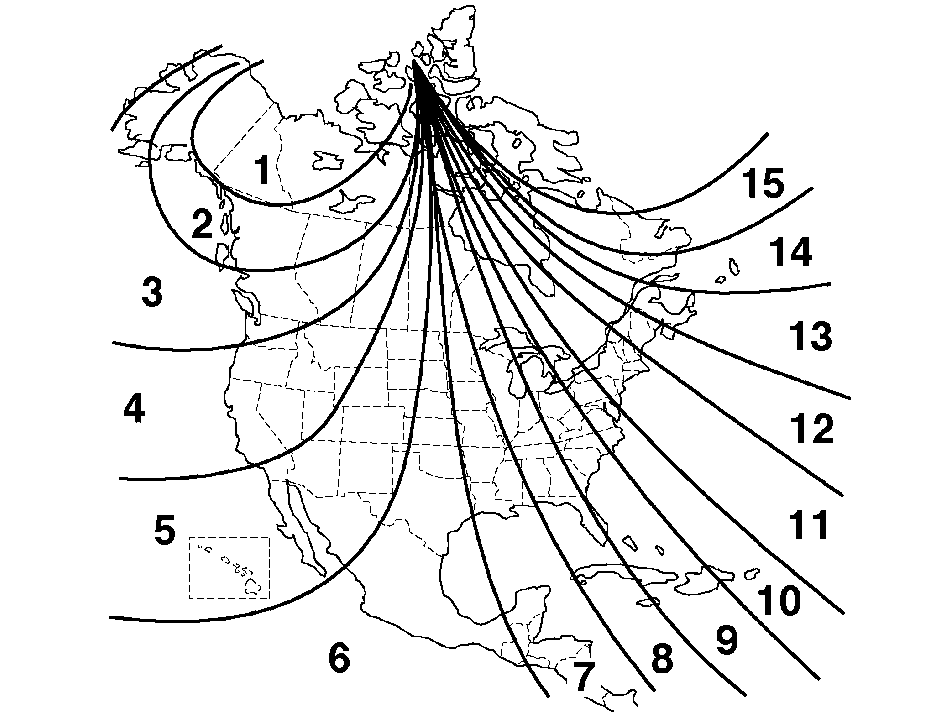
Variance is the difference between magnetic north and geographic north. In some areas, the difference between the two can be great enough to cause false compass readings. If this happens, follow these instructions to set the variance for your particular location:
Setting the Variance
- Find your location on the zone map. Record your zone number.
- Press and hold both the ON/OFF and the US/MET buttons in the COMP/TEMP mode.
- After five seconds, VAR CAL (Variance Calibration) will appear on the display. When it does, release both buttons.
- Press US/MET until your zone number appears on the display.
- Press ON/OFF to set your zone number. Your variance is now set and the display will return to the COMP/TEMP mode.
Automatic Compass Calibration
The compass is self-calibrating, so it does not need to be manually set. However, if CAL (Calibration) is displayed, the compass will need to be calibrated. You may also place the compass in a noncalibrated mode by pressing and holding the ON/OFF and US/MET buttons at the same time while in the COMP/TEMP mode. After about 10 seconds, the compass will display CAL and you can release the buttons. Drive the vehicle in a complete 360 degree circle three times at a speed of less than 5 mph (8 km/h), and the compass will function normally. Once the calibration is complete, the display will return to a compass reading.
Trip Computer
Once in the TRIP mode, press the ON/OFF button to display the following trip functions:
AVG ECON (Average Economy): The average fuel economy since the last reset is displayed.INST ECON (Instantaneous Economy): Instantaneous fuel economy for the last second of driving is displayed.
RANGE: The display indicates the estimated distance that can be travelled with the remaining fuel in the tank, based on the fuel economy for the last few hours of driving.
FUEL USED: The fuel used since the last reset is displayed.
AVG SPEED (Average Speed): The average speed since the last reset is displayed.
Resetting the Trip Computer
To reset the trip computer, press the ON/OFF and US/MET buttons simultaneously for at least two seconds. All functions will be displayed briefly once the system is reset. Reset can only be performed in the AVG ECON, FUEL USED and AVG SPEED modes. All three modes are reset at the same time.
