For 1990-2009 cars only
Driver Information Center (DIC) for HUMMER H2 2003
The DIC display is located on the instrument panel cluster above the steering column. The DIC can display information such as the trip odometer, fuel economy and personalization features.
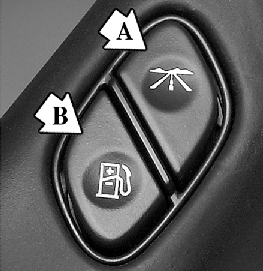
A (Trip Information): Press this button to scroll through the odometer, personal trip odometer, business trip odometer, hourmeter, annual log and the timer.
B (Fuel Information): Press this button to scroll through the current range, average fuel economy, instant fuel economy and engine oil life.
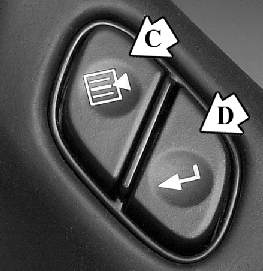
C (Personalization): Press this button to change personal settings of various features for your vehicle.
D (Select): Press this button to reset certain functions and turn off or acknowledge messages on the DIC.
