CD Player for HUMMER H3 2009
Insert a CD partway into the CD slot, label side up. The system pulls it in.
There is a 12 to 15 second delay while the CD is read, before it begins to play. When the player begins to read a CD, the Disc Check in Process message appears briefly to remind of the delay.
If the ignition or radio is turned off with a CD in the player, it stays in the player. When the ignition or radio is turned on, the CD starts playing where it stopped, if it was the last selected audio source.
If playing a CD the sound quality may be reduced due to CD quality, the method of recording, the quality of the music that has been recorded, and the way the CD has been handled. There may be an increase in skipping, difficulty in finding tracks, and/or difficulty in loading and ejecting. If these problems occur, check the bottom surface of the CD. If the surface of the CD is damaged, such as cracked, broken, or scratched, the CD will not play properly. If the surface of the CD is soiled, see "Care of Your CDs" in the Index of your vehicle's owner manual.
If there is no apparent damage, try a known good CD.
Notice: If a label is added to a CD, or more than one CD is inserted into the slot at a time, or an attempt is made to play scratched or damaged CDs, the CD player could be damaged. While using the CD player, use only CDs in good condition without any label, load one CD at a time, and keep the CD player and the loading slot free of foreign materials, liquids, and debris.
Do not add any label to a CD, it could get caught in the CD player. If a CD is recorded on a personal computer and a description label is needed, try labeling the top of the recorded CD with a soft marker instead.
If an error appears on the display, see "CD Messages" later in this section.
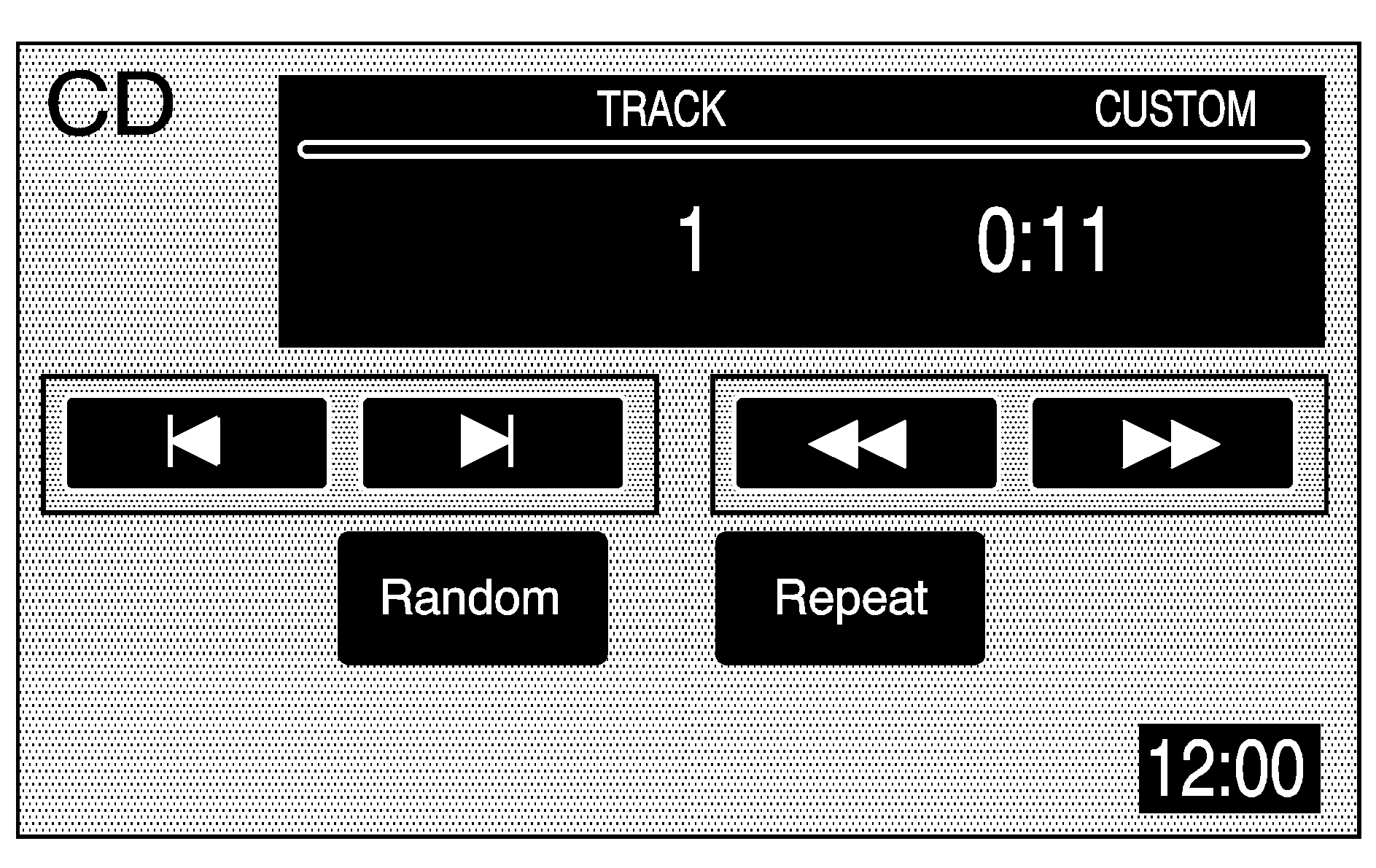
(CD): Press this hard key to play a CD when listening to the radio. The CD screen displays.
(Eject): Press this hard key, next to the CD slot, to eject a CD.
Random: Touch this screen button to play the tracks in random, rather than sequential, order. Touch it again to turn off random play.
Repeat: Touch this screen button to repeat the track that is currently playing. Touch it again to turn off repeat play.
(Forward): Touch this screen button to advance quickly within a track. As the CD advances, elapsed time displays so the correct passage can be found. Release this screen button to play the passage.
(Reverse): Touch this screen button to reverse quickly within a track. As the CD reverses, elapsed time displays so the correct passage can be found. Release this screen button to play the passage.
(Track Forward): Touch this screen button to advance to the next track on the CD.
(Track Reverse): Touch this screen button to return to the previous track on the CD.
SEEK : Press the SEEK up arrow to advance to the next track, or the down arrow to return to the previous track. If more than two seconds of the song has played, pressing the SEEK down arrow returns the disc to the beginning of the current track.
Track Scan: Press and hold one of the SEEK arrows for two seconds or more to enter CD TRACK SCAN mode. A chime sounds. The first 10 seconds of each track will play. Press one of the SEEK arrows again to stop scanning.
BAND: Press the BAND hard key to listen to the radio when a CD is playing.
CD Messages
CD ERROR: If this message appears on the screen, the CD is not being read by the system. The CD could be dirty, scratched, wet, or upside down. You may also be driving on a very rough road. When the road becomes smoother, the CD should play.NO MUSIC DISC: If this message appears on the screen, the map DVD is inserted in the CD slot. Press eject and return the map DVD to its case, then insert a CD. The CD should play.
NO DISC: If this message appears on the screen, the CD slot is empty. Insert a CD. The CD should play.
If a CD is not playing correctly for any other reason, try a known good CD. If any error occurs repeatedly or if an error cannot be corrected, contact your dealer/retailer. If the radio displays an error message, write it down and provide it to your dealer/retailer when reporting the problem.
