For 1990-2009 cars only
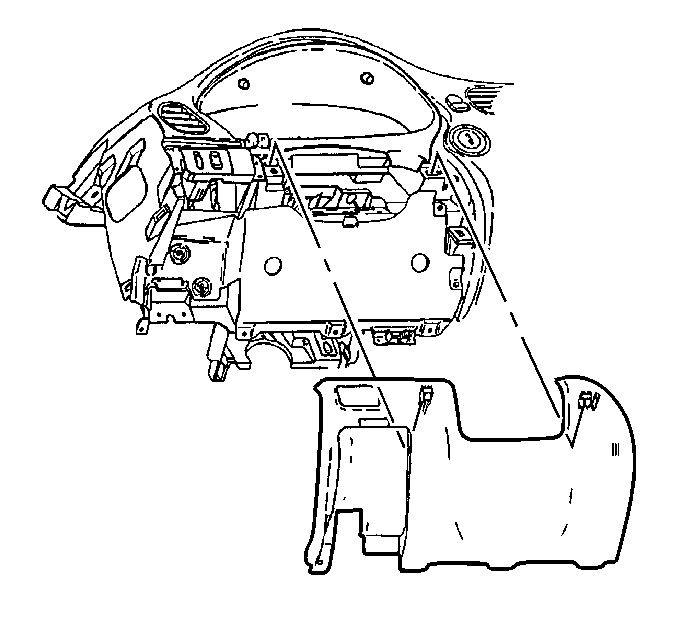
Steering Column Opening Filler Replacement for Oldsmobile Intrigue 1998
Removal Procedure
- Remove the LH instrument panel (IP) insulator. Refer to Instrument Panel Insulator Replacement .
- Remove the screws retaining the data link connector (DLC).
- Reposition the DLC out of the way.
- Grasp the IP steering column opening filler panel and carefully pull rearward to release the retainers and remove the panel.
Installation Procedure
- Align the IP steering column opening filler panel to the IP trim pad, then carefully press into place to secure the retainers.
- Install the DLC into position.
- Install the DLC retaining screws.
- Install the LH IP insulator. Refer to Instrument Panel Insulator Replacement .
Notice: Use the correct fastener in the correct location. Replacement fasteners must be the correct part number for that application. Fasteners requiring replacement or fasteners requiring the use of thread locking compound or sealant are identified in the service procedure. Do not use paints, lubricants, or corrosion inhibitors on fasteners or fastener joint surfaces unless specified. These coatings affect fastener torque and joint clamping force and may damage the fastener. Use the correct tightening sequence and specifications when installing fasteners in order to avoid damage to parts and systems.
Tighten
Tighten the DLC retaining screws to 2 N·m (18 lb in).
