Video Display Replacement for Oldsmobile Silhouette Ext. 1998
Removal Procedure
- Remove the overhead entertainment console. Refer to VES Overhead Console Replacement .
- Carefully pull the front edge of the headliner down and remove the wiring harnesses.
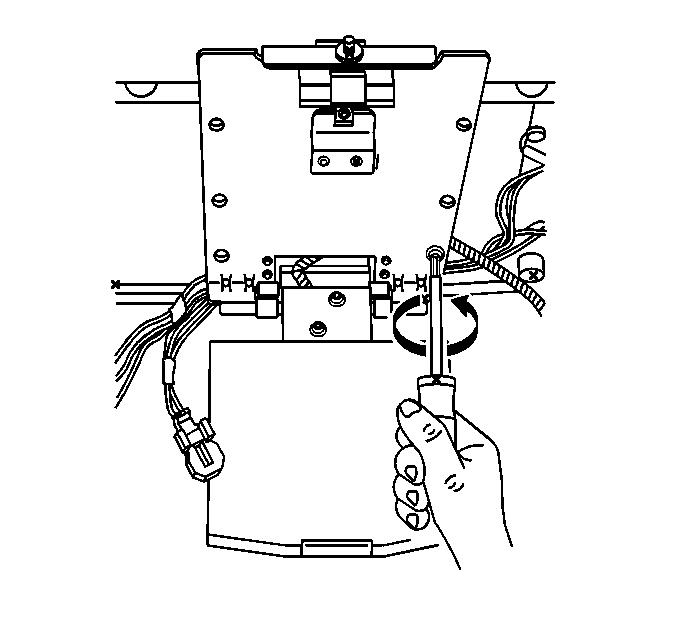
- Remove the video screen screws.
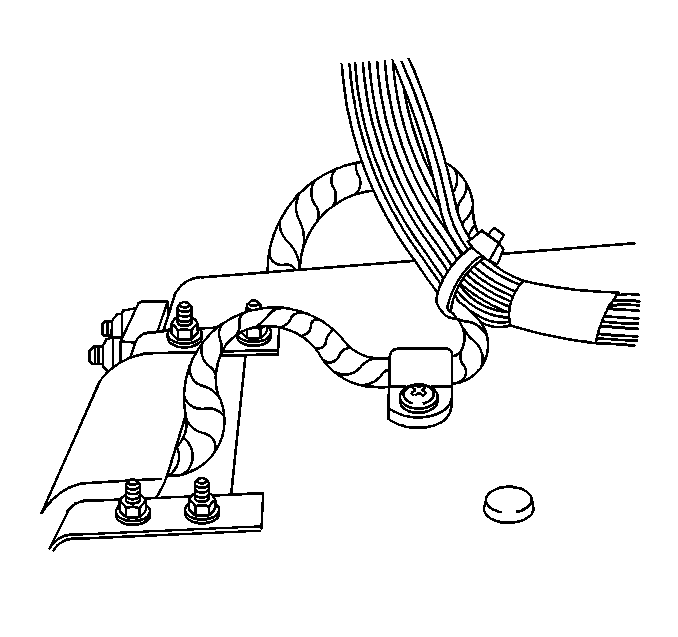
- Lower the video screen and cut the plastic wire tie to separate the two wiring harnesses.
- Remove the video screen from the support bracket.
Important: When replacing the video screen display module with a new component, you must also replace the auxiliary video module. These components are required to be replaced with one another.
Installation Procedure
- Install a plastic wire tie securing the two wire harnesses on the back side of the video screen.
- Carefully pull the front edge of the headliner down and tuck the wiring harnesses underneath the headliner.
- Install the video screen to the support bracket.
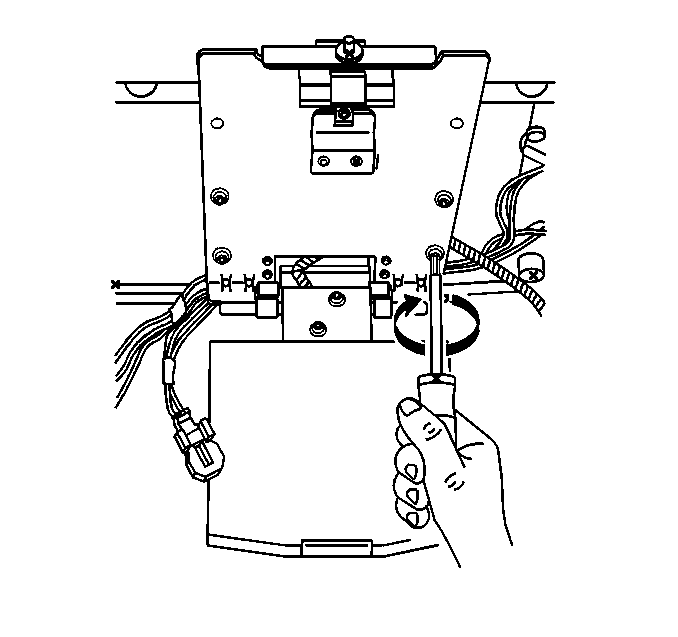
- Install the four screws to the video screen leaving out the two screws closest to the latch mechanism.
- Install the overhead entertainment console. Refer to VES Overhead Console Replacement .
Notice: Use the correct fastener in the correct location. Replacement fasteners must be the correct part number for that application. Fasteners requiring replacement or fasteners requiring the use of thread locking compound or sealant are identified in the service procedure. Do not use paints, lubricants, or corrosion inhibitors on fasteners or fastener joint surfaces unless specified. These coatings affect fastener torque and joint clamping force and may damage the fastener. Use the correct tightening sequence and specifications when installing fasteners in order to avoid damage to parts and systems.
Tighten
Tighten the video screen screws to 2 N·m(18 lb in).
