Communication Interface Module Replacement for Saturn VUE - AWD 2002
Removal Procedure
- Remove the fastener located on the bottom of the OnStar® bracket.
- Tilt the module inboard to the center of the vehicle and pull down the communication interface module (CIM)
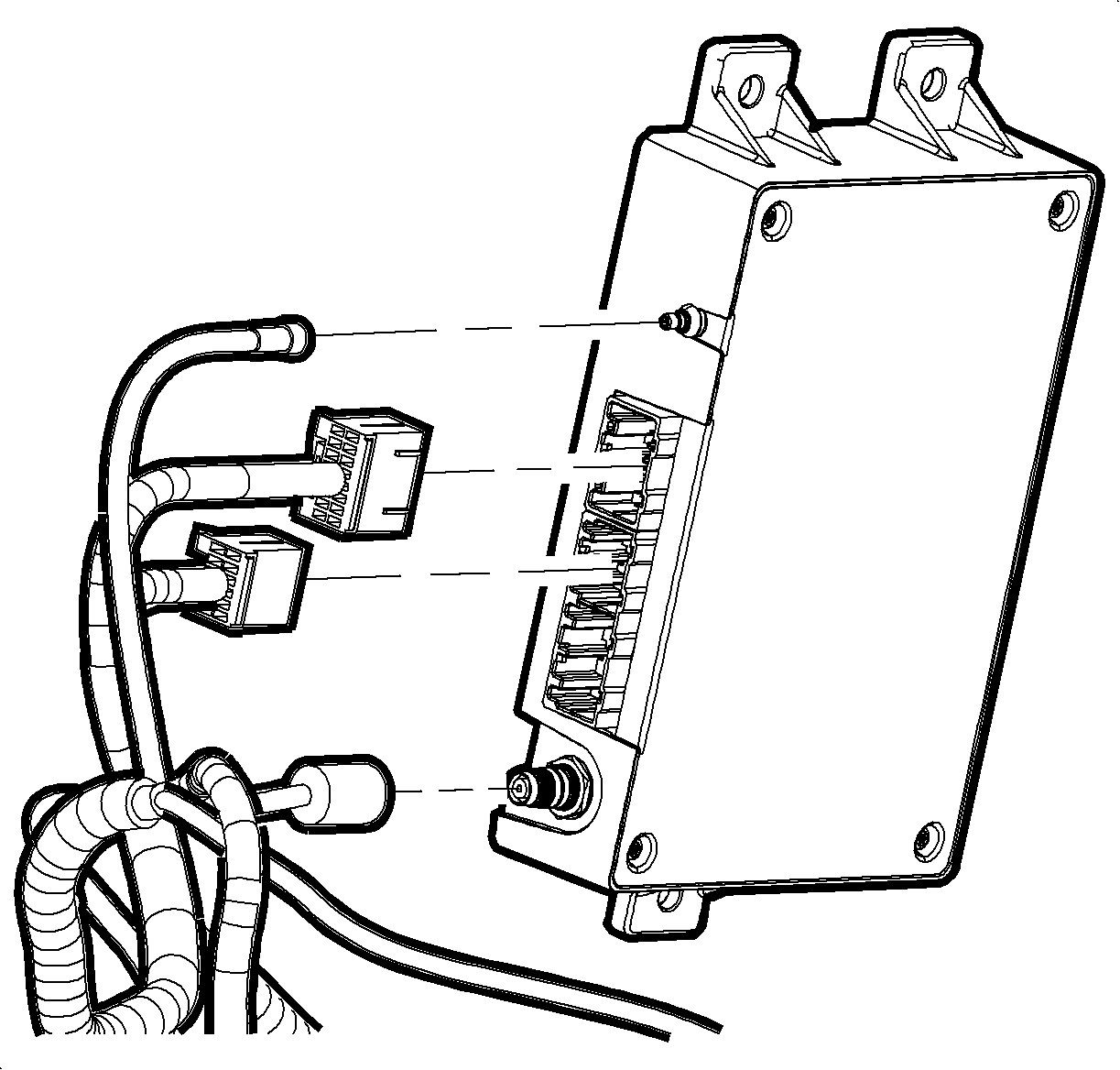
- Disconnect the electrical connectors, the GPS antenna, and the cellular coax cable.
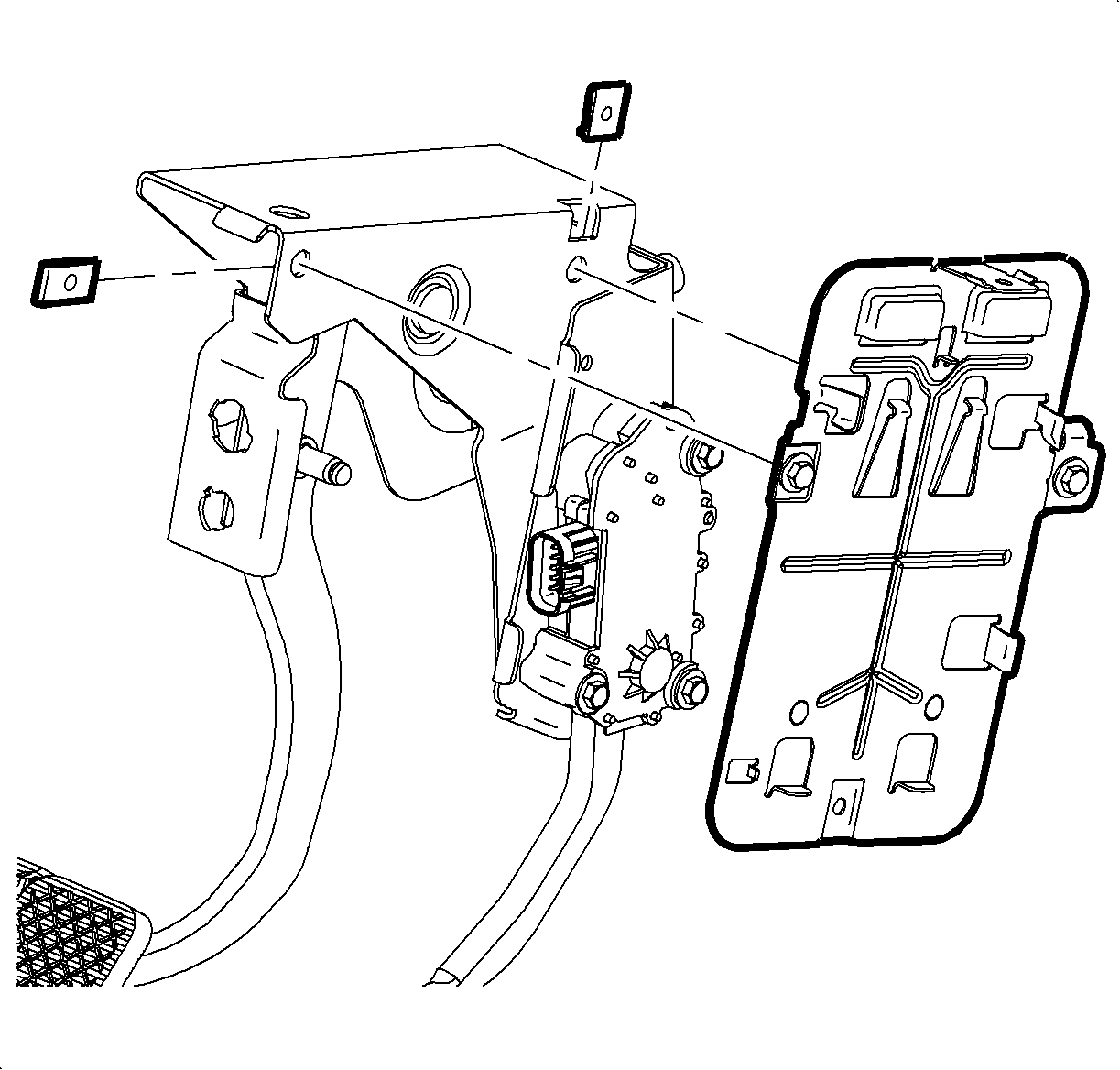
- Remove the bolts from the OnStar® bracket assembly.
- Lower the bracket and remove the CIM from the vehicle.
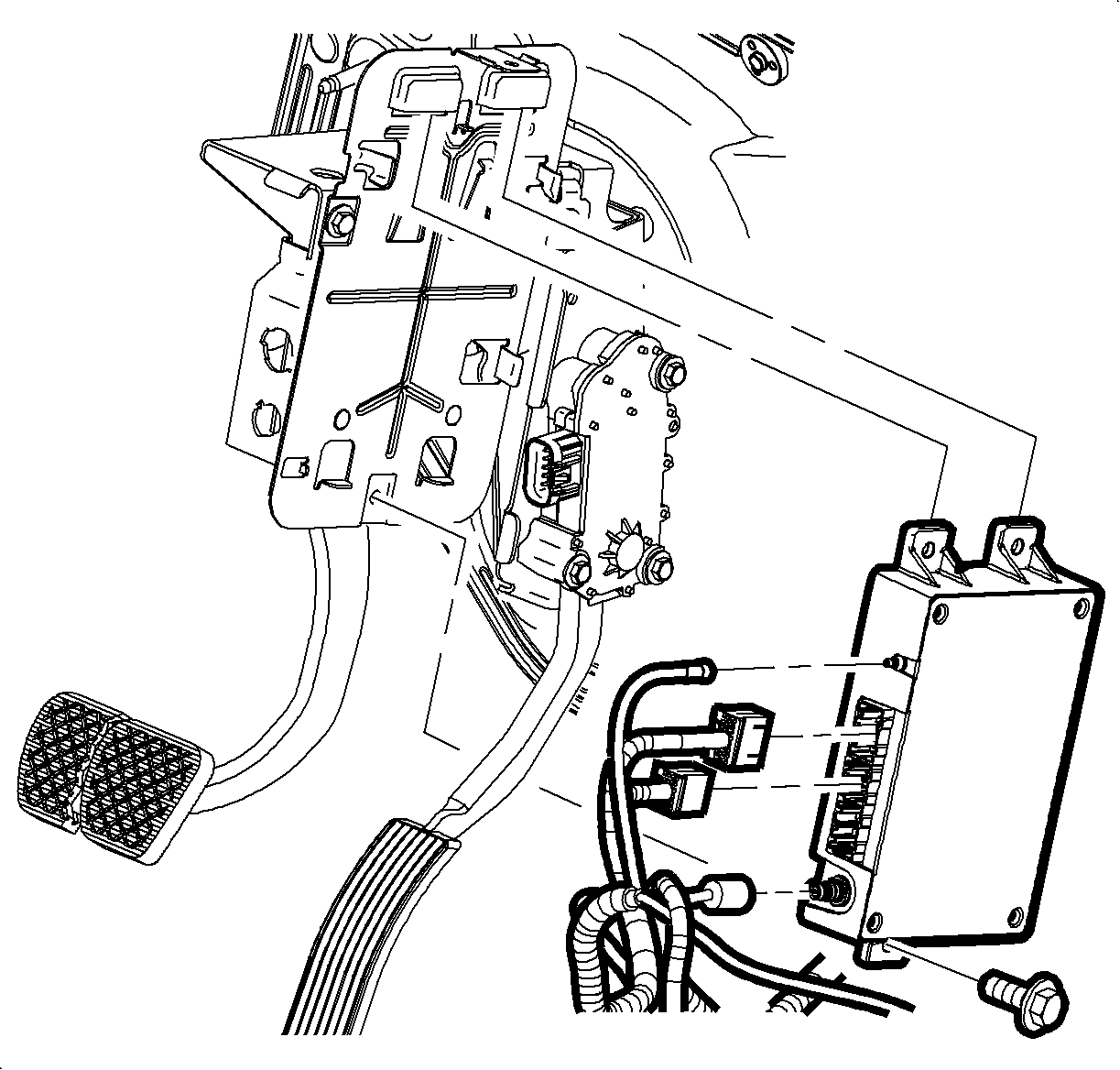
Important: The vehicle communication interface module (VCIM) has a specific set of unique numbers that tie the module to each vehicle. These numbers, the 10-digit station identification and the 11-digit electronic serial number, are used by the National Cellular Network and OnStar® to identify the specific vehicle. Because these numbers are tied to the vehicle identification number of the vehicle, you must never exchange these parts with those of another vehicle.
Installation Procedure
- If replacing the VCIM, record the 10-digit STID number, and the 11-digit ESN number from the labels on the new module.
- Install the OnStar® CIM bracket.
- Connect the electrical connectors, the GPS antenna, and the cellular coax cable.
- Tilt the CIM inboard and install the CIM.
- Install the CIM fastener.
- Install the scan tool. Use the special functions menu in order to perform the OnStar® setup procedure for this vehicle.
- Move the vehicle to an open area that is away from tall buildings and with a clear view of unobstructed sky. Allow the vehicle to run for 10 minutes.
- Use the ID information menu on the scan tool to access the new station ID (STID) and the electronic serial number (ESN) from the new VCIM.
- Press the blue OnStar® button to connect to the OnStar® Call Center and perform the following procedure:
Notice: Refer to Fastener Notice in the Preface section.
Tighten
Tighten the fastener to 10 N·m (89 lb in).
Important: After replacing the vehicle communication interface module, you must reconfigure the OnStar® system. Failure to reconfigure the system will result in an additional customer visit for repair. In addition, pressing and holding the white dot button on the keypad will NOT reset this version of the OnStar® system. This action will cause a DTC to set.
| 9.1. | Tell the advisor that this vehicle has received a new VCIM. |
| 9.2. | Ask the advisor to add the new STID and the ESN to update the customer's account. |
| 9.3. | Follow any additional instructions from the OnStar® advisor. |
| 9.4. | Ask the advisor to activate the OnStar® Personal Calling feature, if available. |
